
Using script steps I tend to set 2 variables [1] ‘file name’ & [2] ‘file path’
[1] In this example I’ve concatenated the file name $SaveAs out of Project No, version and date. [2] I then set up the filepath/filename for the pdf that I will be producing & saving in the temp file (which will get deleted when I switch off my computer)

[3] I then go to the various layouts I want to save to the composite pdf…
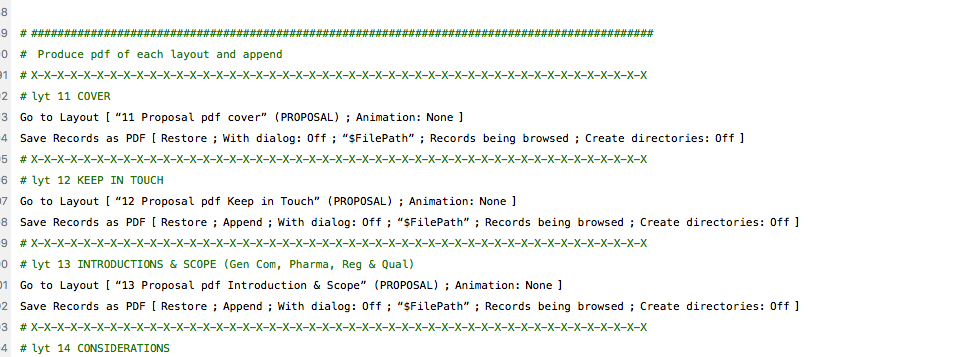
[4] Then in the 1st pdf I’m saving, under the settings icon I DONT select ‘append to existing pdf’ as it’s not been created yet. But subsequent pages I save appended to existing pdf. It knows which pdf to append it to as they are all being saved as $FilePath. NB if subsequent saves weren’t ticked it would just overwrite the file that was already there.
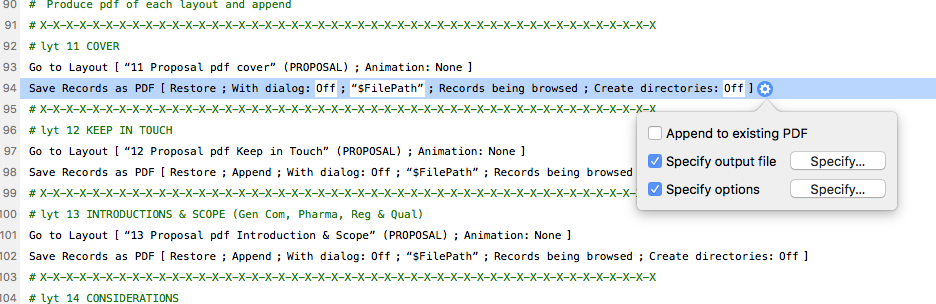
[5] The specify output file is always $FilePath [6] The Specify options tend to be just that one record or the found set depending on the layout