This is remarkably easy.
If you’re concerned about security and you want to send a code to a mobile or email here’s how to do it.
• Let the user sign in as usual, using their username and password. FileMaker will reject them if they are not already registered as a user.
• In the start up script File > File Options > Script Triggers > OnFirstWindowOpen just make sure they land on a layout that has nothing.
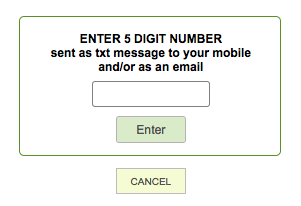
• Well nothing much. No links to anything, just a global text field and a button.
• In the start up script before you land on this page go to a table that has ‘UserName”, “Email’ and ‘Mobile’ values.

• Set a $$ variable – a random generated 4 or 5 digit number (or alpha numeric – your choice)
• Either send that that to their email.
• Or after opening an account with https://www.textlocal.com (the people I use) use the ‘open url’ to send an easily generated string and they’ll create and send the sms.
• Seconds later – but I’ve known it to take 10 minutes 🙁 – enter the received code into the global field on the landing page and click the button.
• If the $$ variable ( ie random code) = what they enter into the field let them go to their home page.
• Otherwise say ‘not this time mate’ and quit the system